
Redmine Tags – the free Redmine cross-project tagging plugin.
For teams running Redmine who need filterable tags across every project.
No licence fee · no expiry
Install on any self-hosted Redmine · unlimited users · lifetime updates
Today in Redmine
Not every classification deserves a new tracker.
Redmine’s trackers, categories, and custom fields are great for structured workflow data. But “performance”, “client-X”, “tech-debt” aren’t structured – they’re ad-hoc. Creating a new tracker or custom field every time your team invents a new word inflates the configuration. After a year of growth, nobody remembers what half of it means.
In plain words
What is the Redmineflux Tags Plugin?
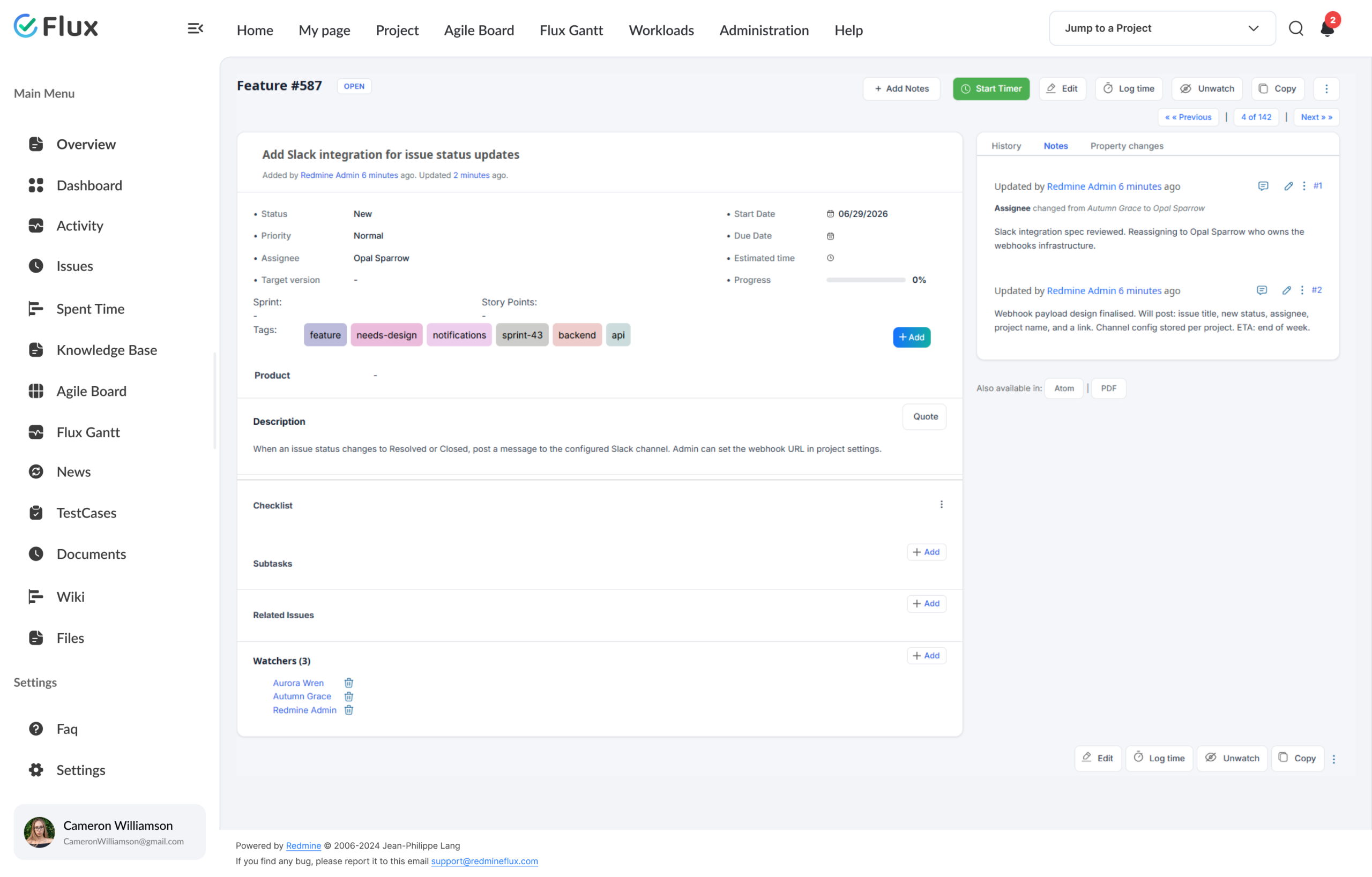
Redmineflux Tags is a free plugin that adds freeform tagging to Redmine issues. Create a tag by typing it, apply it to any issue, and filter by tag across your Redmine issues – without schema changes, without touching the Redmine configuration. Works alongside trackers, categories, and custom fields – not instead of them.
Flexible classification, zero configuration overhead.
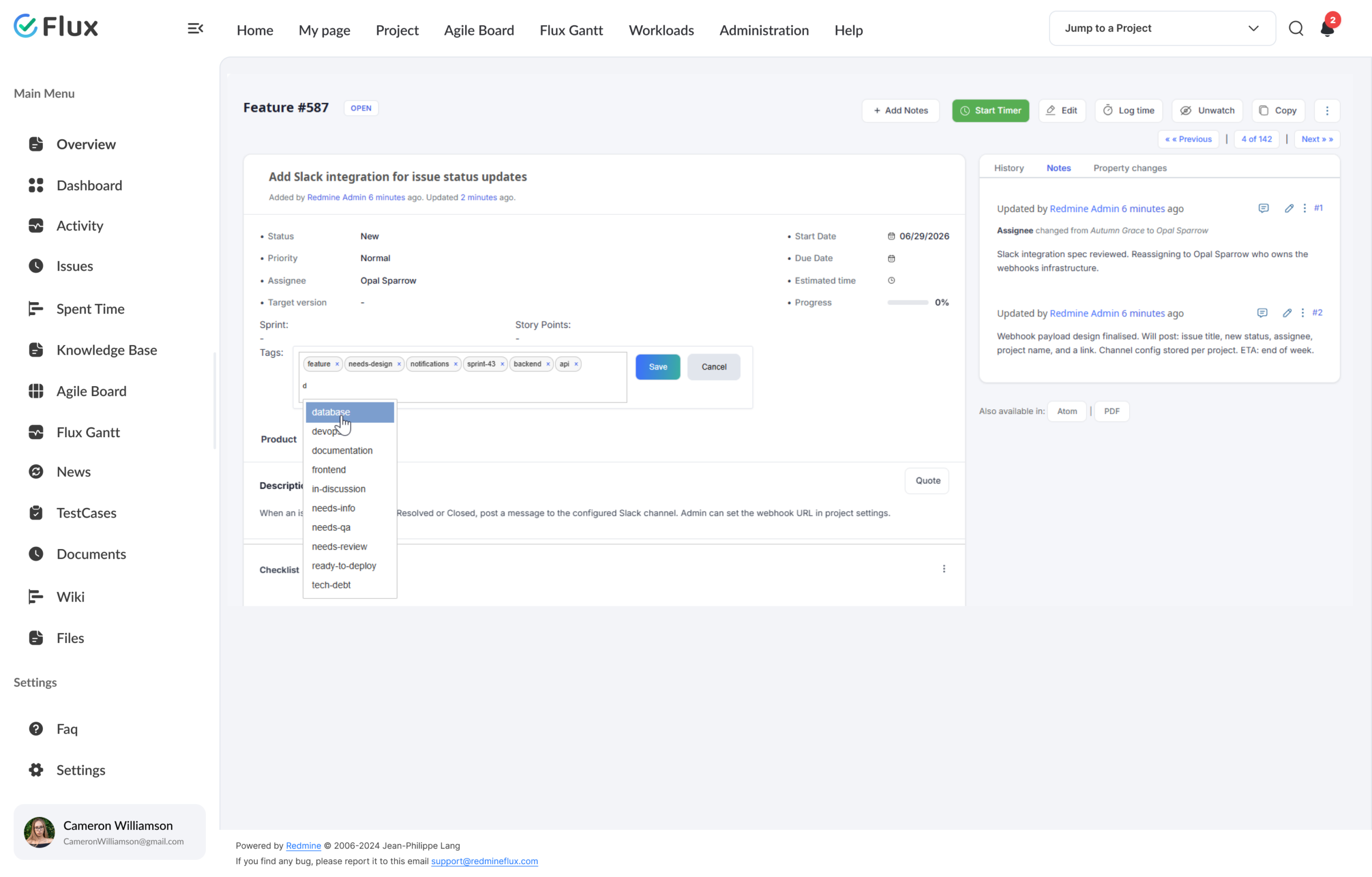
Tags are created by typing them directly on any issue. Every team member can tag without configuration – just type a tag name and confirm it. Admins manage the tag library from the admin panel: rename or delete tags to keep the library tidy as the team grows.
The result: trackers, categories, and custom fields stay reserved for structured workflow. Tags carry the informal vocabulary your team actually uses. One filter – `tag:client-acme` – surfaces every related issue across every project, instantly.
What your team gains
Specific shifts, not vague benefits.
Click any shift to see what changes in the product.
01
Classify issues the way your team already thinks.
Your team talks about work as “the Acme project”, “tech-debt”, “regression cycle”. Tags let the tool speak that language too – no need to invent a tracker or category for every concept. One-word labels carry the meaning.
02
Find every related issue with one tag filter.
Click any tag label on an issue to instantly see all issues carrying that tag. Or open the issue list, select the tag field from the filter dropdown, and apply – every issue with that tag appears in the result. No custom field needed, no tracker to configure. One tag covers the concept.
03
Zero configuration overhead.
Any team member creates a tag by typing it. Admins don’t become a bottleneck for every new classification concept. Tag library grows organically with the team’s vocabulary, and admin controls (rename, delete) keep the library clean when tags overlap or become obsolete.
04
Tags visible on the issue list, in the right color.
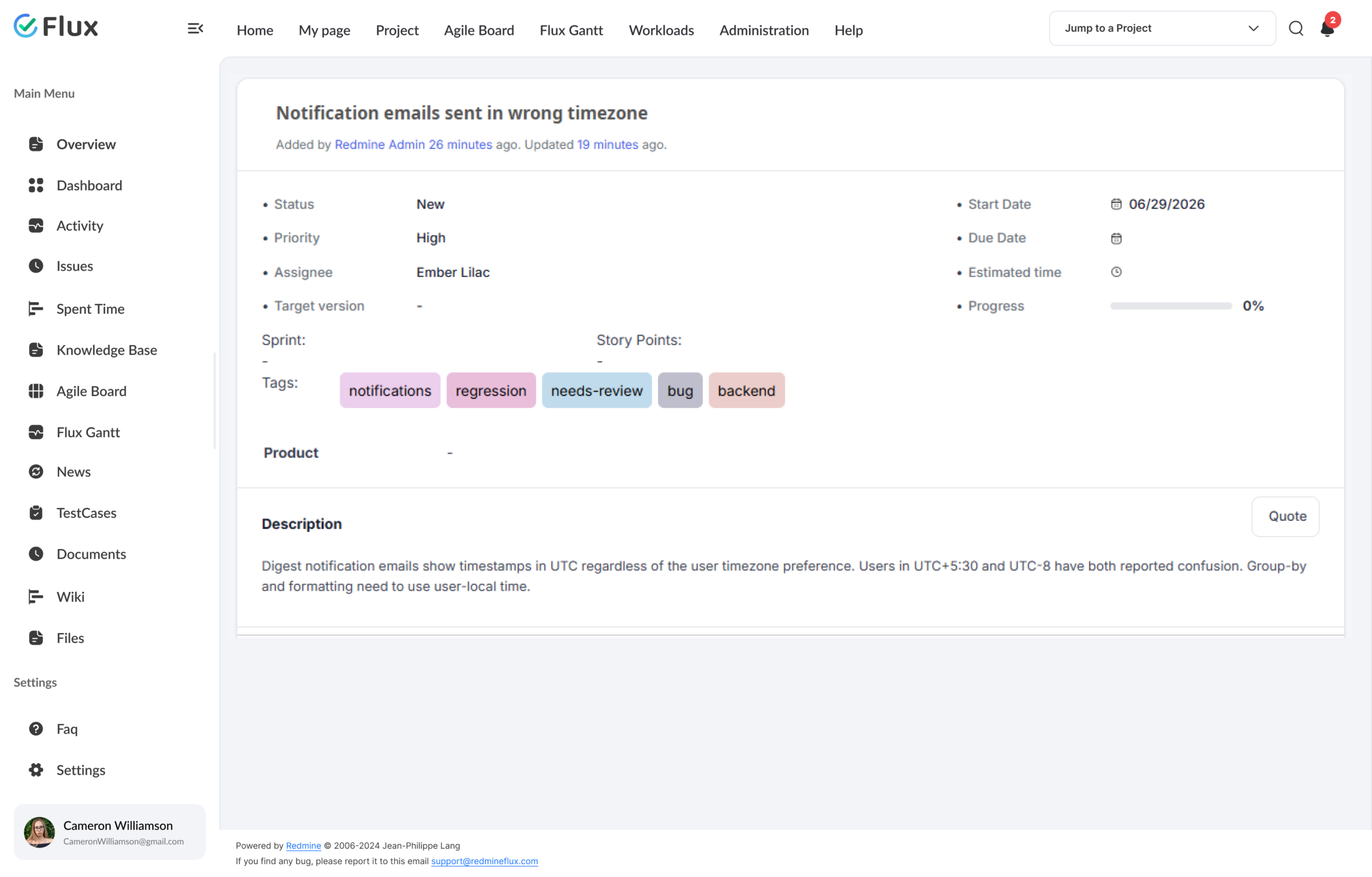
Enable the tag column on the issue list and tags appear as colored labels alongside status, priority, and assignee. Set the default tag color in plugin settings. Every tagged issue is identifiable at a glance – no need to open it to know its classification.
05
Clean Redmine configuration, long-term.
Because ad-hoc concepts move into tags, trackers and custom fields stay reserved for structured workflow data. A year in, the Redmine config hasn’t bloated with 60 custom fields nobody remembers. Admins keep control where it matters.
06
Admin keeps the tag library healthy.
The admin panel shows all tags in use across the instance. Rename a tag when vocabulary evolves – the rename applies to every issue that carries it, instantly. Delete tags that are no longer needed. Tag cleanup takes seconds, not a support ticket.
Core capabilities
The specifics, for people who want them.
Tag on the fly, consistently.
- Inline tag input on issue create + edit forms
- Tags display as colored labels on the issue – visible at a glance
- Unlimited tags per issue · comma-separated
- Enable the tag column on the issue list – select from column options
- Admin can rename or delete any tag globally from the admin panel
Filter by tag. See every matching issue instantly.
- Tag filters on all standard Redmine issue list views
- Filter by multiple tags from the issue list filter dropdown
- Save tag-filtered queries for repeat use by the team
- Click any tag label on an issue to view all issues with that tag
- Works with existing Redmine custom-query URLs
Tag library stays clean as vocabulary grows.
- Admin UI for renaming and deleting tags globally – changes apply to all tagged issues
- Configure the default tag color from plugin settings
- Only admins and users with permissions can edit or delete tags
- Tags shown as colored hyperlinks on issue pages – click to filter
- Show the tag column on the issue list – enable from column options
200+
teams trust Redmineflux worldwide
6 yrs
focused on Redmine, nothing else
5000+
plugin downloads powering real projects
Tags gave us the flexibility to classify issues the way we naturally talk about them – by client, by theme, by sprint scope – without adding another custom field to every project. Five-minute install, immediate payoff.
Deployment
Install free, or get it bundled in Cloud.
Managed Cloud
- Tags pre-installed · included in every Cloud plan
- Daily backups · SLA-backed uptime
- No per-plugin licences – all-inclusive pricing
$1.99 / user / month
Get a Free Demo →Self-hosted
- Free download · open source · unlimited users
- Install in under 5 minutes on your own Redmine
- Community support · no SLA, no expiry
$0 / forever
Download plugin →Role by role
What Tags changes for each role.
Project ManagerIssue classification
Classify issues your way. Add tags like client-acme or tech-debt to any issue – then filter by tag to see all related issues at once, without adding custom fields to every project.
Engineering LeadInformal classification
Tech-debt, performance, release-scope tagging without schema changes. Vocabulary evolves with the team, not through admin tickets.
QA LeadTest coverage tracking
Regression, environment, and coverage tags applied across issue types. Filter by tag during execution.
IT Director / AdminTag library governance
Rename and delete tags from the admin panel without touching individual issues. Renamed tags update across every issue that carries them instantly.
Pricing
Three ways to get Tags.
Download – self-hosted
Tags plugin
Free forever · no licence fee · unlimited users · install in under 5 minutes on your Redmine.
Download plugin →Bundle with paid plugins
All Plugins Bundle
Tags is already free. The All Plugins Bundle gives you every paid plugin at 10% off.
Tags included · Save 10% See Bundle →Or use Managed Cloud
Redmineflux Cloud
Tags pre-installed on every Cloud plan. Managed Redmine, no infrastructure work.
See Cloud plans →SEE TAGS IN YOUR REDMINE
See Tags filtering your Redmine issues live.
Install the Tags Plugin on your existing Redmine and start filtering issues by tag instantly. No trial period, no licence activation – it’s free.
Frequently asked
Questions before you install.
The questions teams actually ask before adopting Tags. If yours isn’t here, check pricing or contact support.
Why is Tags free when other plugins are paid?
Tags is a small, focused utility – useful to everyone running Redmine. Giving it away seeds the Redmine community with Redmineflux-ness at no cost to the user. Three plugins ship free in the catalogue: Tags, Mentions, and Inline Editor. Capability plugins with deeper product surface – Gantt, Workload, Dashboard – are from $499 one-time purchase with 1 year of support included. Support renewal after 1 year 30% of plugin price.
Can tags filter issues across multiple projects at once?
Yes. Open the Redmine issue list, select the tag field from the filter dropdown, choose a tag, and apply. The filtered view shows all matching issues from the projects you have access to. You can also click any tag label directly on an issue to jump straight to a filtered list.
Is there a limit to how many tags per issue?
No. Multiple tags can be applied to a single issue – just type each tag and confirm. The plugin has no built-in cap. In practice, teams apply as many tags as they need for classification without any technical restriction.
Can admins control who can create new tags?
Tag creation is available to anyone who can create or edit issues. For library cleanup, admins manage tags from the plugin admin panel – they can rename or delete tags globally. Only users with the appropriate permissions can edit or delete existing tags.
Will it work with my Redmine version?
Yes — the plugin supports all Redmine versions. Compatibility is verified with each plugin update. Ruby 3.x required.
What happens to my tags if I uninstall the plugin?
Tags store as associated records against Redmine issues. Uninstalling removes the plugin’s UI + filter behaviour – the tag data remains in the database until you explicitly purge it. Reinstalling restores everything. No destructive uninstall, no data loss, no lock-in.
Why a demo for a free plugin?
Because installing a plugin on your production Redmine to “just try it” is a bigger commitment than clicking through a sandbox. The demo sandbox has Tags pre-installed + sample data so you can confirm it fits your workflow before touching your own instance.