




Description
Smarter Helpdesk for Seamless Customer Support
Transform your chaotic inboxes into a fully professional, structured, and efficient customer support hub with the Redmineflux Helpdesk Plugin. Now enhanced with support ticketing system capabilities and helpdesk automation for modern teams.Â
- Service Reliability & SLA Compliance
- Centralized Customer Communication
- Operational Oversight & Transparency
- Higher Support Agent Productivity
The Support Management System Built for Clarity, Confidence and Efficiency
The Redmineflux Helpdesk Plugin is a fully integrated support management system built on top of the existing Redmine platform, designed to bring order to your support inbox. Compatible with Remine 5.0.x and 5.1.x versions, it enables support teams to streamline customer communication, automate workflows, and improve response efficiency, functioning as a ticket management system and Redmine helpdesk solution for teams that need structure and speed.
Why Organizations Choose Redmineflux Helpdesk?
Ensure consistent and high-quality communication using automated workflows, templates, and knowledgebase content strengthened with workflow automation tools that enhance team consistency.Â
Move from email overwhelm to a structured support system where every request is logged, tracked, and resolved on time using a customer support software approach designed for reliability.Â
Automated SLA tracking and escalation ensure reliability and accountability at every level, supporting enterprise-grade processes often required in IT service management (ITSM) environments.
Why Organizations Cannot Afford to Ignore Helpdesk Support?
Helpdesk support has evolved into a mission-critical function for modern organizations, serving as a direct safeguard for productivity and business continuity. The rising risks associated with system failure underscore its essential role: according to the 2024 ITIC Hourly Cost of Downtime Report, a single hour of unplanned IT downtime can cost US $300,000 or more for many enterprises, escalating to between US $1 million and US $5 million for mission-critical systems. Reflecting this strategic importance, help-desk platforms have become standard, with adoption rates exceeding 50% among customer-service teams. Â
Redmineflux Helpdesk Plugin addresses this need by enabling the delivery of faster support, consistent service quality, and improved user experience, an effective, well-structured helpdesk. It works as a strategic asset that protects operations, reduces risk, and strengthens overall organizational resilience, making it indispensable for organizations seeking a technical support system, enterprise helpdesk solution, and improved support operations management.Â
Key Functionalities and  Feature Set
Advanced Ticket Management & Email Automation
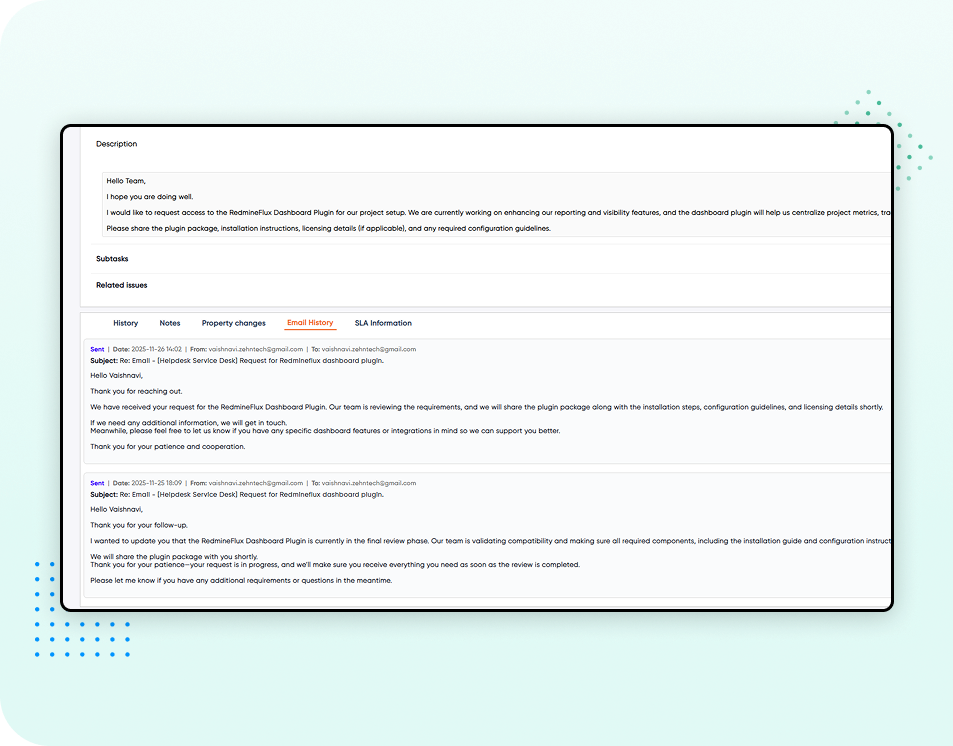
Automatically convert incoming customer emails into actionable helpdesk tickets, ensuring that requests are tracked from the moment they arrive.Â
Each project can configure its own Incoming Email Configuration (IMAP details) and Outgoing Email Configuration (SMTP details), guaranteeing that tickets are created automatically, and replies are sent correctly from the project's dedicated support address.Â
Users with appropriate roles (Admin or Support) can manually create new support tickets, entering details such as subject, priority, status, and organization.Â
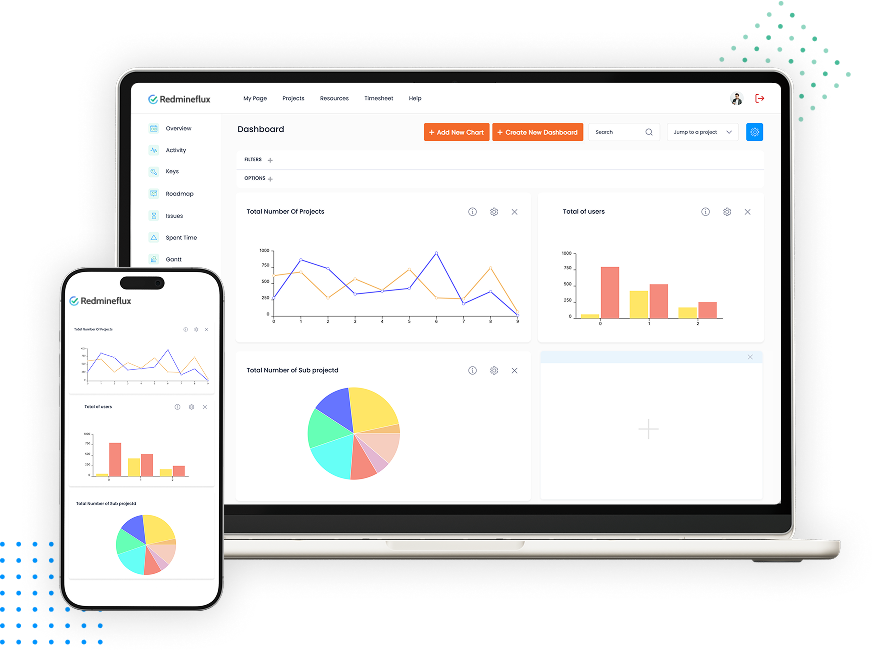
Gain a global overview of support activities with the Helpdesk Dashboard, which shows the overall status of tickets for the current month (including Unassigned, Open, On Hold, Overdue, and Unresolved cards). Data can be filtered using custom date ranges.Â
Project Manager, Newyork
Project Manager
Project Manager, Singapore
CEO
Redmineflux plugins have been a game-changer for our Redmine setup. The enhanced features like advanced time tracking, custom workflows, and improved reporting have significantly boosted our productivity. The integration was seamless, and the support team was fantastic. Highly recommend these plugins to any Redmine user!
Getting all of my business data organized in one place is all I wanted. With Redmineflux, I can filter data and simplify my agile operations.
Redmineflux themes have completely transformed the look and feel of our Redmine instance. We were looking for a way to make our Redmine more visually appealing and user-friendly, and these themes delivered on both fronts. The customization options are fantastic, allowing us to tailor the design to our company’s branding.
Redmineflux has an easy-to-use interface & is easily customizable. It helps active coordination and focuses project resources in one direction.
Ready to level up your support?
Get started now.
Ready to level up your support? Get started now.
Latest from our blog

Redmineflux vs Trello: How to Choose Project Management Tool in 2023
In this article, we will highlight some noteworthy features of two prominent project management tools: Redmineflux and Trello and discover the basic difference between them.


Redmineflux vs Pivotal Tracker: What’s the Difference?Â
In the fast-paced world of business, success is about more than just staying ahead of the curve. It’s about being nimble, adapting quickly to changes, and responding to market conditions and customer needs with speed and precision. It’s about being able to turn ideas into realities, launching new products and

Redmineflux vs. VersionOne: Which is Better for Your Business?
Project management has evolved significantly over the years, with technological changes, globalization, and business environments. Here are some of the major ways project management has evolved: In summary, project management has evolved from being an ad-hoc process to a well-defined discipline that emphasizes stakeholder management, uses advanced technology, incorporates agile
FAQ’s
The Helpdesk Plugin brings structured, predictable ticket management into Redmine. It turns incoming emails into clear, trackable tickets and gives support teams a unified panel to respond, prioritize, and resolve issues with consistency.Â
Lorem ipsum dolor sit amet, consectetur adipisicing elit, sed do eiusmod tempor incididunt ut labore et dolore magna aliqua. Ut enim ad minim veniam, quis nostrud exercitation ullamco laboris nisi ut aliquip ex ea commodo consequat. Duis aute irure dolor in reprehenderit in voluptate velit esse cillum dolore eu fugiat nulla pariatur.
Subscribe to our newsletter
Get the latest news & updates on Redmineflux delivered straight to your inbox.Â
Help Desk Plugin for Redmine
Streamline your support process by integrating a Helpdesk plugin in Redmineflux.
$
per year
$499.00
- Ensure accountability
- Enhance client satisfaction
- Generate goodwill
Advanced support for a seamless customer experience
Enables users to create tickets from emails to resolve queries efficiently. Our Helpdesk plugin allows customers to submit queries as tickets, which can be quickly addressed. You can also add a ‘Knowledge Base’ feature.
Efficient ticket management
Enables efficient customer support ticket management.
Enhanced customer satisfaction
Helps improve customer satisfaction by providing timely responses.
Self-Service support
Reducing the workload on the support team.
Advanced support for a seamless customer experience
Enables users to create tickets from emails to resolve queries efficiently. Our Helpdesk plugin allows customers to submit queries as tickets, which can be quickly addressed. You can also add a ‘Knowledge Base’ feature.
Efficient ticket management
 Enables efficient customer support ticket management.
Enhanced customer satisfaction
Helps improve customer satisfaction by providing timely responses.
Self-Service support
Reducing the workload on the support team.
Simplify customer support with Helpdesk Plugin
Easy ticket creation
Quickly resolve customer queries with the helpdesk plugin.
- Streamline Support Processes
- Improve Customer Satisfaction
- Gain Valuable Insights
- Track Issue Redressal
Automatic notification to the assignee
 When a ticket is raised, the admin can view and assign it to the relevant person.
- View Ticket Details
- Update Tickets
- Respond to Tickets
- Sort Tickets in Projects
Customize the tickets so that raised
Customize tickets by setting a maximum time-period for bouncing back to the admin as a reminder.
- Quick Responses
- Set Autoresponders
- Customize Ticket Fields
- Custom Ticket Statuses
Access client information
Get a ticket’s client’s contact info. The client can also see the admin handling the ticket.
- Accelerate Query Resolution
- Configure Email Notifications
- Smart Workflow Automation
- Easy Integration
Testimonial
What people are saying!
Redmineflux plugins have been a game-changer for our Redmine setup. The enhanced features like advanced time tracking, custom workflows, and improved reporting have significantly boosted our productivity. The integration was seamless, and the support team was fantastic. Highly recommend these plugins to any Redmine user!
Alex Tucker
Project Manager, Newyork
Getting all of my business data organized in one place is all I wanted. With Redmineflux, I can filter data and simplify my agile operations.
Alfred Fleischer
Project Manager
Redmineflux themes have completely transformed the look and feel of our Redmine instance. We were looking for a way to make our Redmine more visually appealing and user-friendly, and these themes delivered on both fronts. The customization options are fantastic, allowing us to tailor the design to our company’s branding.
Chen Jun Hao
Project Manager, Singapore
Redmineflux has an easy-to-use interface & is easily customizable. It helps active coordination and focuses project resources in one direction.
Marlena Sievers
CEO
Enhance collaboration, elevate productivity, & meet goals with Redmineflux.
FAQ’s
The Redmineflux’s Helpdesk plugin is only available for Redmine users who are already using Redmine and Redmineflux. They can easily integrate the plugin into their Redmine & Redmineflux project management tools and utilize its features.
You can raise a ticket by sending an email to the support email address configured in the plugin. The email subject will become the ticket subject, and the email body will be added as the ticket description.
Yes, you can view the status of your ticket by logging in to the Redmineflux portal and checking the ticket details page.
Yes, you can customize the maximum time-period for bouncing back the ticket to the admin as a reminder using the Helpdesk plugin.
Yes, you will be notified via email when your ticket is resolved by the admin. You can also view the resolution details by checking the ticket details page in the Redmineflux portal.
Subscribe to our newsletter
Get the latest news & updates on Redmineflux delivered straight to your inbox.
Additional information
| Version | 5.0, 6.0 |
|---|
Reviews
There are no reviews yet.